
Create a wedding website with online RSVP
Give your guests one simple place to find wedding information and respond to your invitation. A wedding website with online RSVP makes it easier to organise responses without sorting through scattered messages.
What guests see
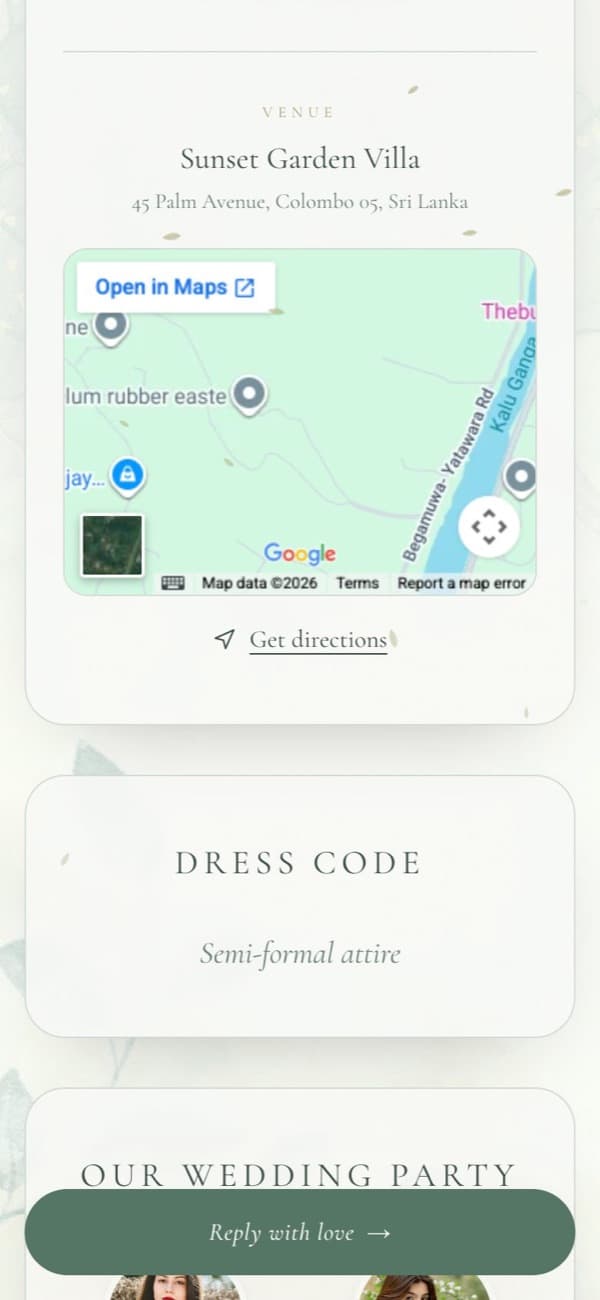
Everything they need on one page, readable on any phone.
Your welcome
A sealed card that opens to your names, photo, date and a countdown, with your parents' names if you add them.
Every event of the day
Times, venues and addresses for each event, a map, one-tap directions and add to calendar.
Practical details
Dress code, your wedding party, your story and a photo gallery, in whatever combination you choose.
A clear way to reply
An RSVP button that stays in view, a short reply form, and a wishes wall to leave you a message.
A reply form guests actually finish
Short, clear and the same in every template.
Attending or not
Guests choose whether they will attend, so the answer is never ambiguous.
Party size
How many people are coming in their group, which keeps your headcount accurate.
Meal preference and a note
Optional fields for dietary needs and a personal message to the two of you.
Contact details if they want
Email and phone are optional, so guests can reply without sharing more than they wish.
Track every response
All replies land in your dashboard, organised and ready to share with whoever is helping you plan.
An email for every reply
You're notified as replies arrive, so nothing slips past you.
Filter at a glance
See totals for attending, declined and pending, and filter the list by answer.
Download as a spreadsheet
Export every reply to a CSV file for your caterer, planner or seating plan.
A reply-by date
Set the date you need answers by. The invitation shows it to guests.
A personal invitation for each guest
Add guests to your list and each one gets a unique link. When they open it, the invitation greets them by name and their RSVP is linked to them, so you can see at a glance who is still to reply.
Greeted by name
The invitation opens with the guest's name, and their name is already filled in on the reply form.
Sent the way you like
Copy each link, or open a WhatsApp chat with the guest's number and the message ready to send.
Private by default
A wedding website holds personal details, so we keep it between you and the people you invite.
Replies are yours alone
Only you can see your guest list and RSVPs, from your signed-in dashboard.
Kept out of search engines
We ask search engines not to list invitation pages. People find your invitation through the link you send.
Personal links are hard to guess
Each guest's personal link contains a long random code, so one guest can't open another's invitation.
You moderate the wishes
Hide any message on your wishes wall from your dashboard, at any time.
How to set it up
- 01
Create your account
Sign up with Google or your email address. It's free.
- 02
Add your details and events
The creation wizard asks for your names, families, events and venues, step by step.
- 03
Add your guests (optional)
Type names one by one or paste a list from a spreadsheet to give everyone a personal link.
- 04
Publish and send
Share one link with everyone, or send each guest their own link, straight to their WhatsApp chat.
RSVP questions
Here they're one and the same: your invitation is a single page with all your wedding information and the RSVP form, so guests don't need to visit two places.
No. They open the link, tap the RSVP button and fill in a short form. Nothing to install or sign up for.
Guests can send another reply from the invitation, and you'll see each one in your dashboard with the time it arrived.
It greets the guest by name and fills in their name on the RSVP form. Their reply is matched to them on your guest list, so you can see who hasn't answered yet.
Guides for planning your invitation
All guides
How to Create a Wedding Website With Online RSVP
What to put on your wedding website, how to set up online RSVP, and how to keep guest information private.

When Should You Send Wedding Invitations?
Common timelines for local and destination weddings, how to pick an RSVP deadline, and when to send reminders.